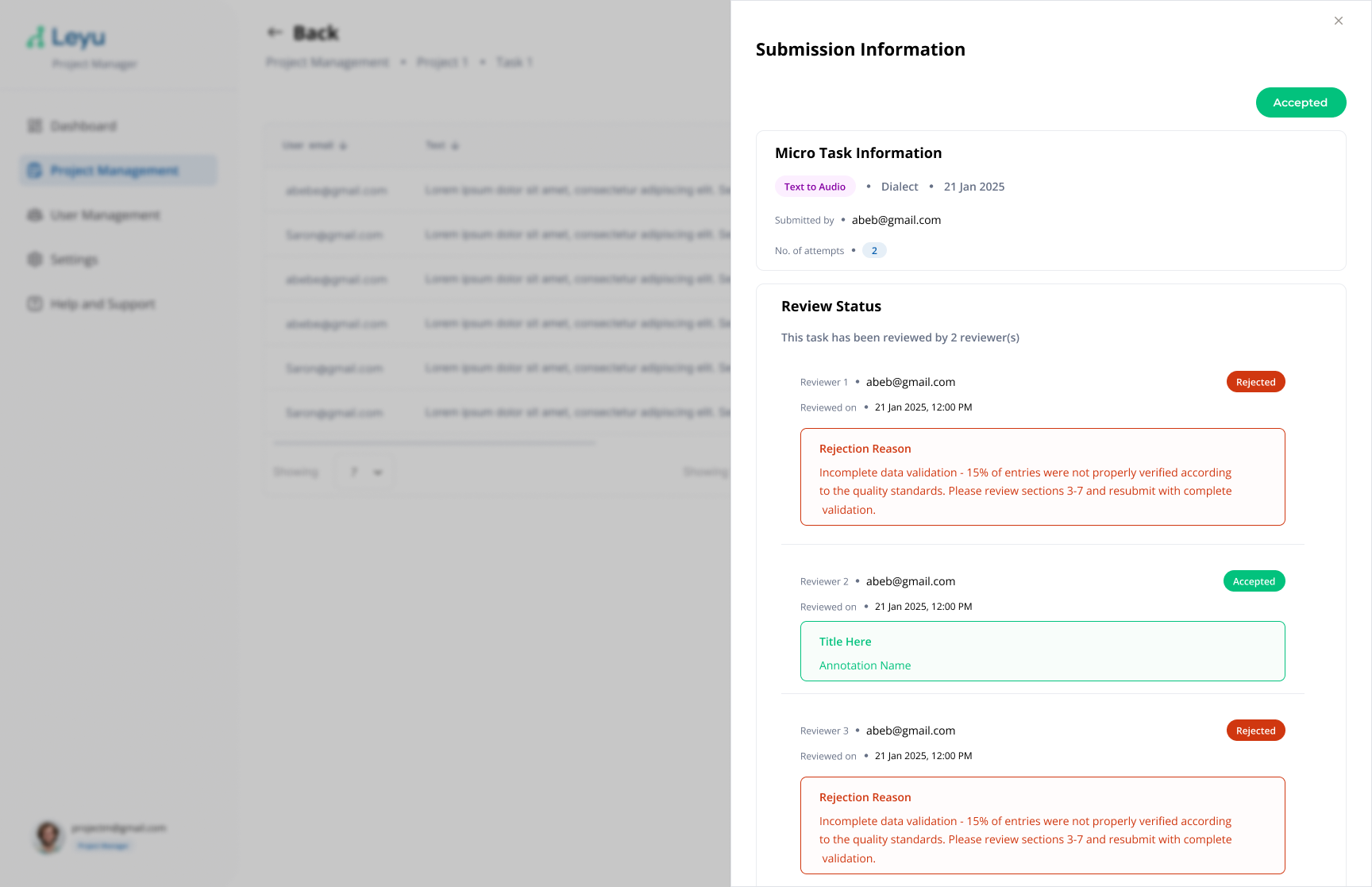
View Submissions
Once contributors start submitting data, you can view all submissions for a task. This gives you an overview of progress and lets you drill into individual entries.
Steps
1. Open the Submissions View
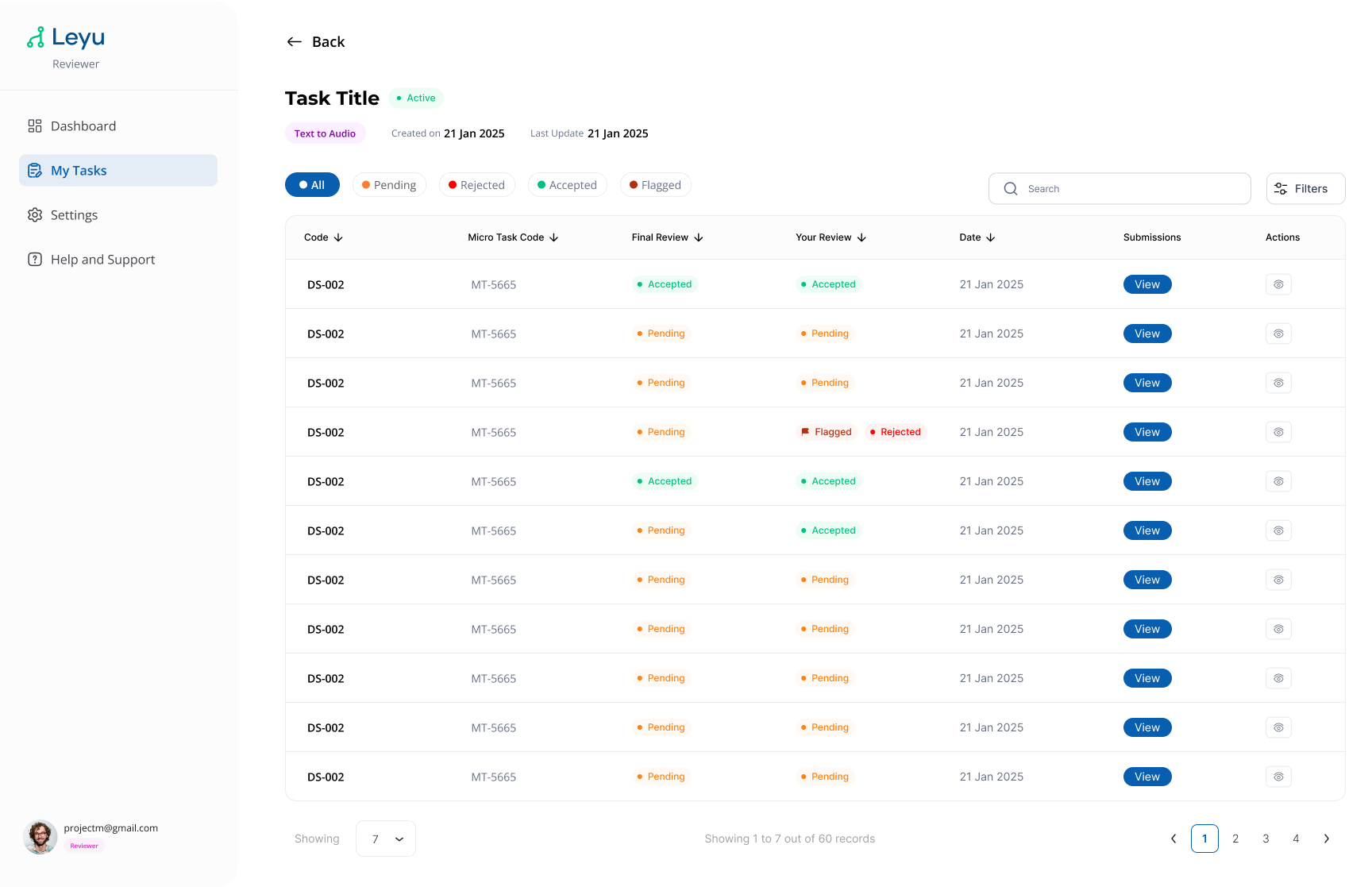
Inside a task, navigate to the Submissions tab. You'll see a table listing all submissions with their current status.
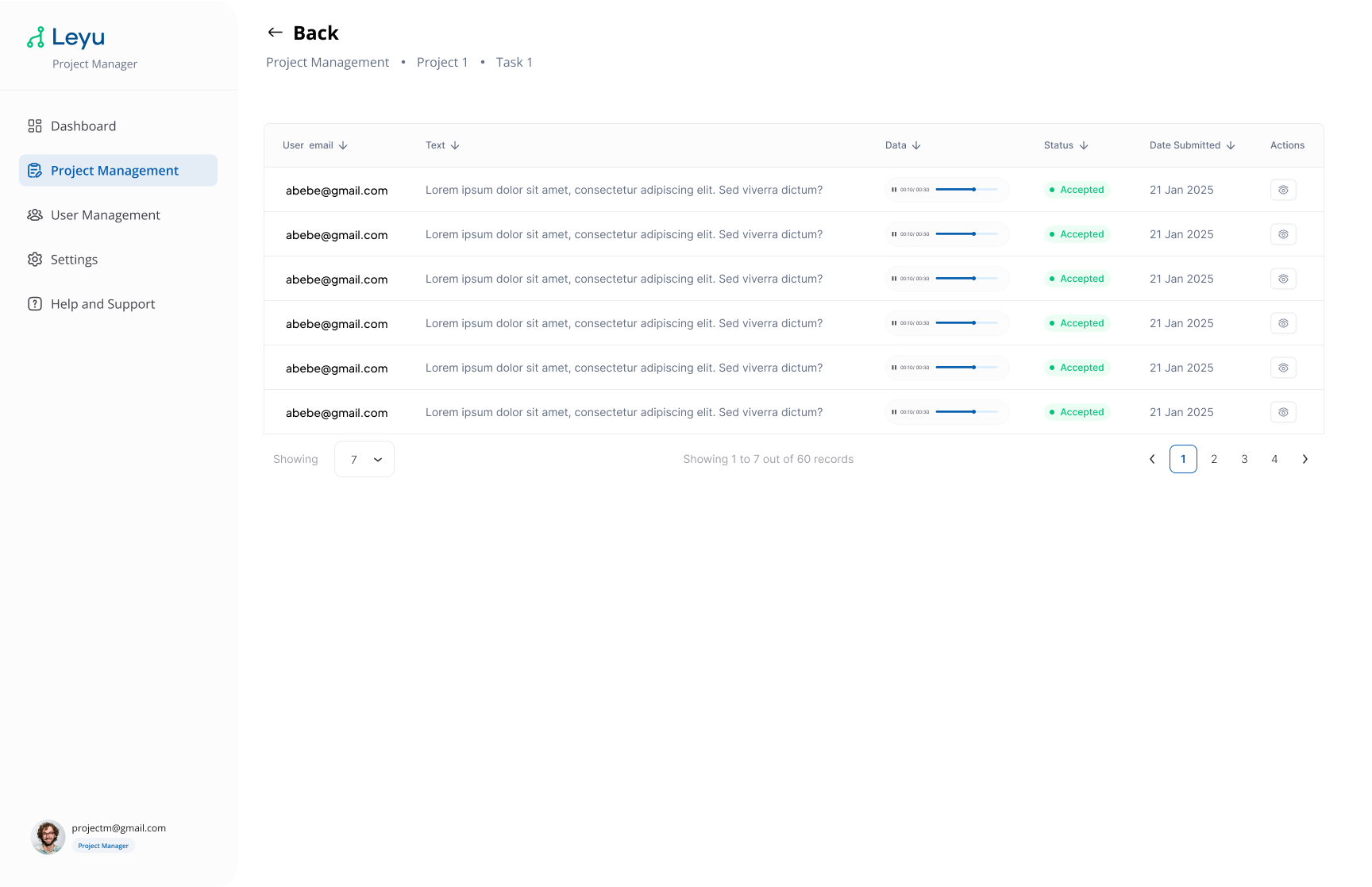
2. Browse Submissions
Use the submissions view to filter, sort, and inspect submitted data across all contributors.
3. Inspect Submission Details
Click on any submission to see its full details, including the submitted content, contributor info, and timestamps.