Create Task
A Task lives inside a project and defines a specific data collection objective. Each task can have its own configuration, contributor requirements, and micro-tasks.
Steps
1. Open the Task List
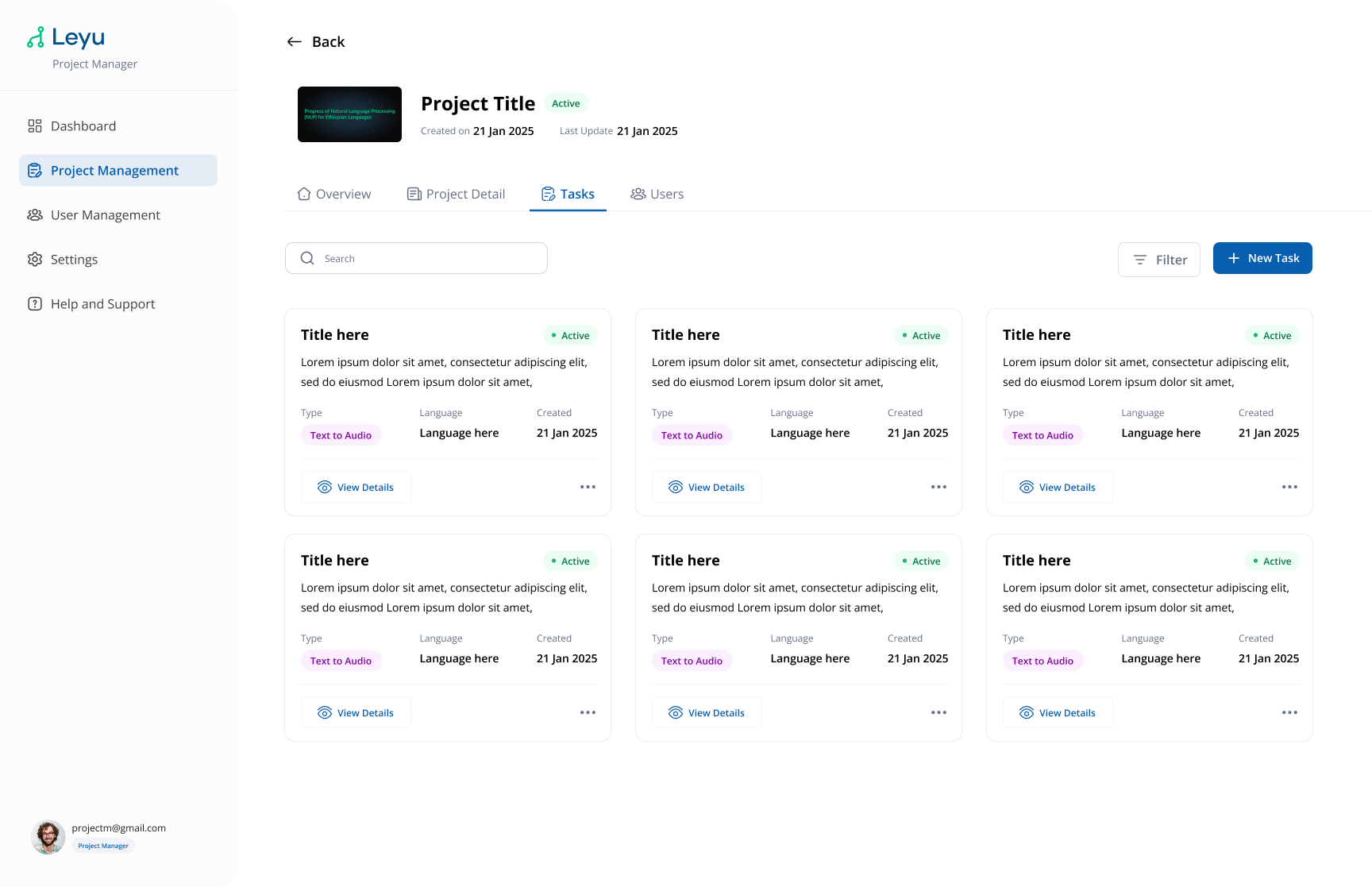
Inside your project, navigate to the Tasks tab to see all tasks associated with the project.
2. Create a New Task
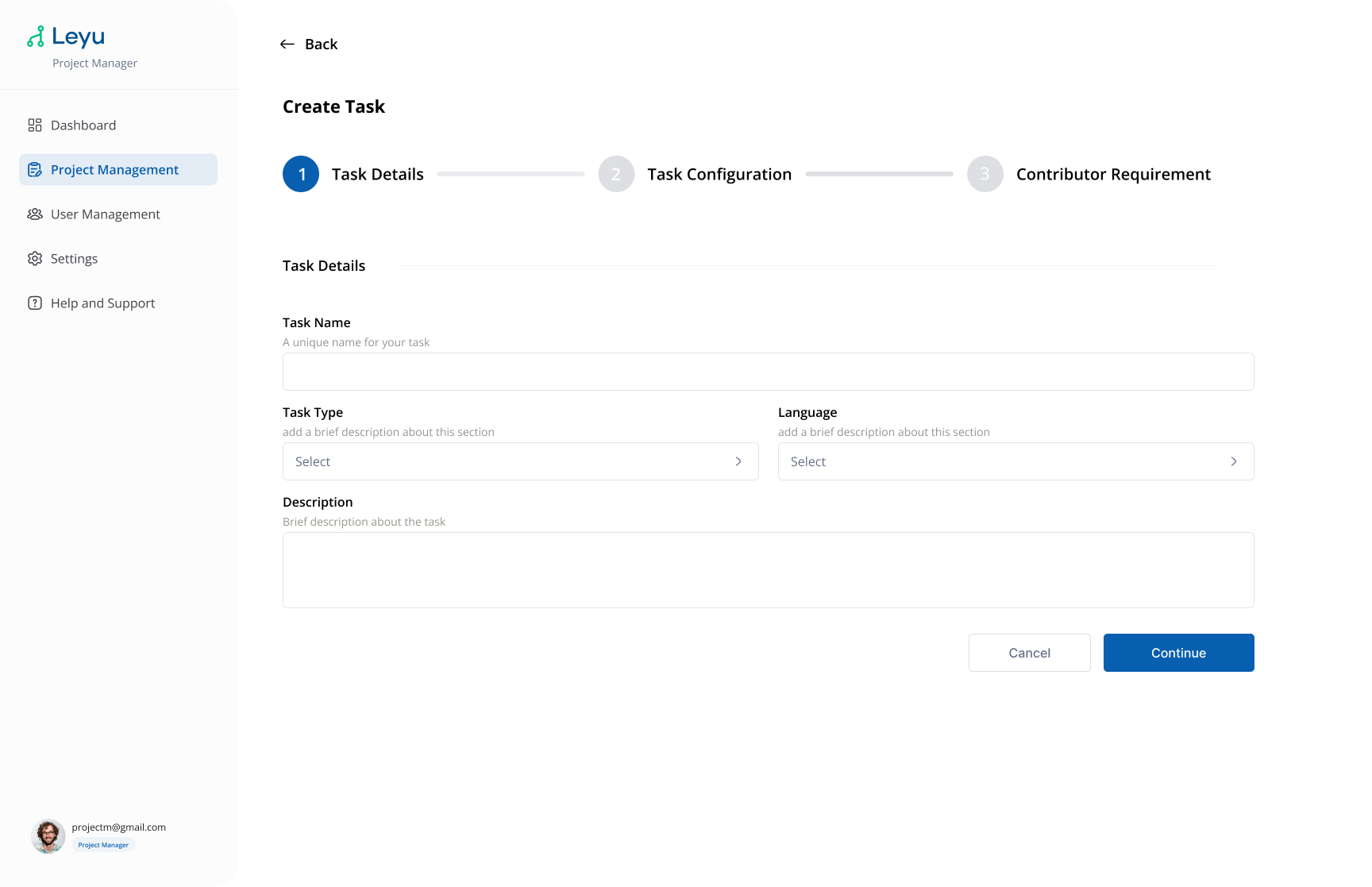
Click Create Task and fill in the following task details:
Task Form
| Field | Description |
|---|---|
| Task Details | A unique name for your task. |
| Task Type | Dropdown menu with list of task types. |
| Language | Dropdown menu with list of languages. |
| Description | Brief description about the task. |
3. Configure the Task
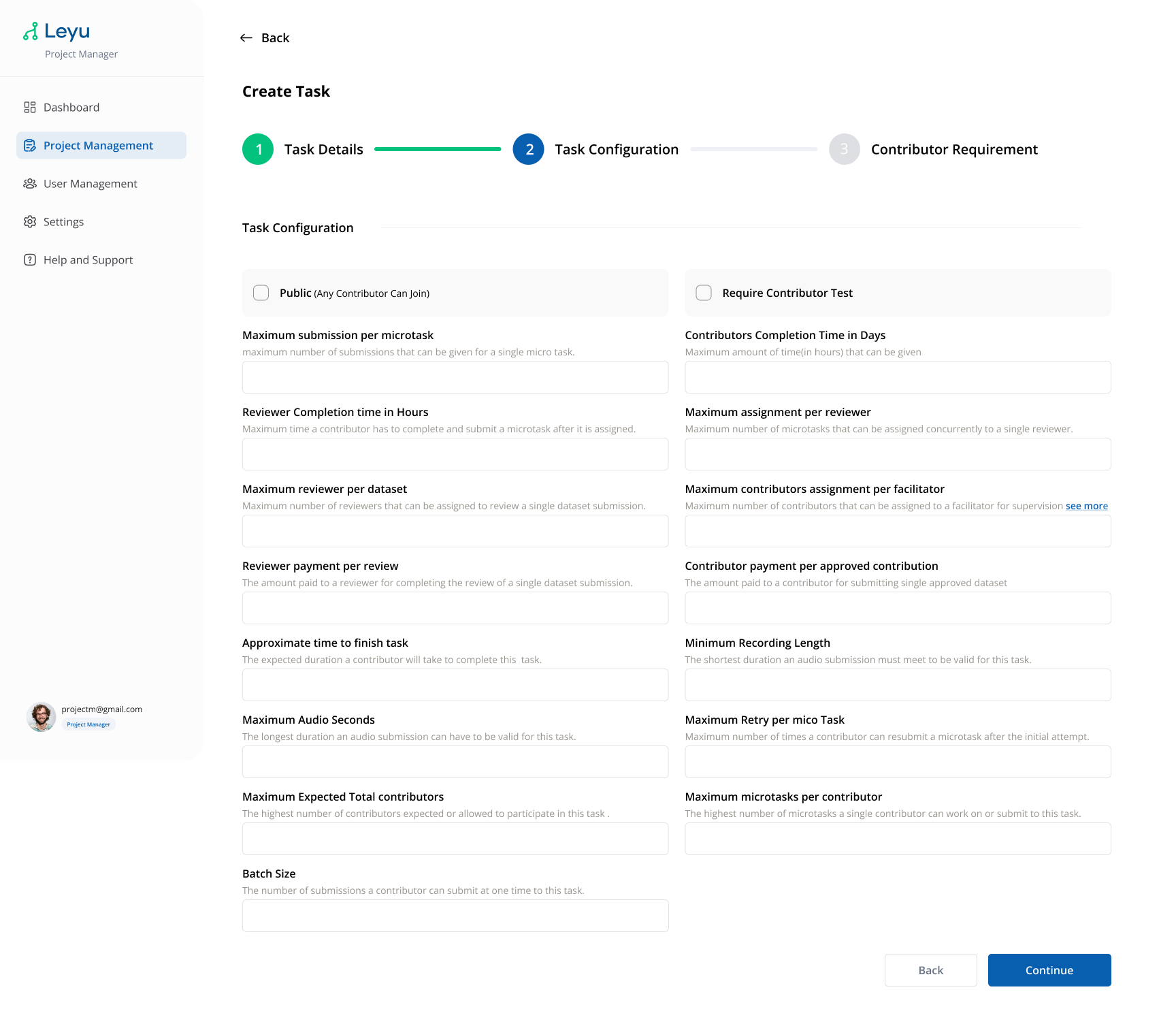
After creation, open the task to configure it further — set deadlines, assign reviewer roles, and define contributor requirements.
Task Configuration
| Field | Description |
|---|---|
| Maximum submission per microtask | Maximum number of submissions that can be given for a single micro task. |
| Contributors Completion Time in Hours | Maximum amount of time (in hours) that can be given. |
| Reviewer Completion Time in Hours | The maximum time a contributor has to complete and submit a microtask after it is assigned. |
| Maximum assignment per reviewer | The maximum number of microtasks that can be assigned concurrently to a single reviewer. |
| Maximum reviewer per dataset | The maximum number of reviewers that can be assigned to review a single dataset submission. |
| Maximum contributors assignment per facilitator | The maximum number of contributors that can be assigned to a facilitator for supervision and task support. |
| Reviewer payment per review | The amount paid to a reviewer for completing the review of a single dataset or microtask submission. |
| Contributor payment per approved contribution | The amount paid to a contributor for submitting a single approved dataset. |
| Approximate time to finish task (in minutes) | The expected duration a contributor will take to complete this task. |
| Minimum Recording Length | The shortest duration an audio submission must meet to be valid for this task. |
| Maximum Audio Seconds | The longest duration an audio submission can have to be valid for this task. |
| Maximum Retry per micro Task | The maximum number of times a contributor can resubmit a microtask after the initial attempt. |
| Maximum Expected Total contributors | The highest number of contributors expected or allowed to participate in this task. |
| Maximum microtasks per contributor | The highest number of microtasks a single contributor can work on or submit to this task. |
| Batch Size | The number of submissions a contributor can submit at one time to this task. |
4. Set Contributor Requirements
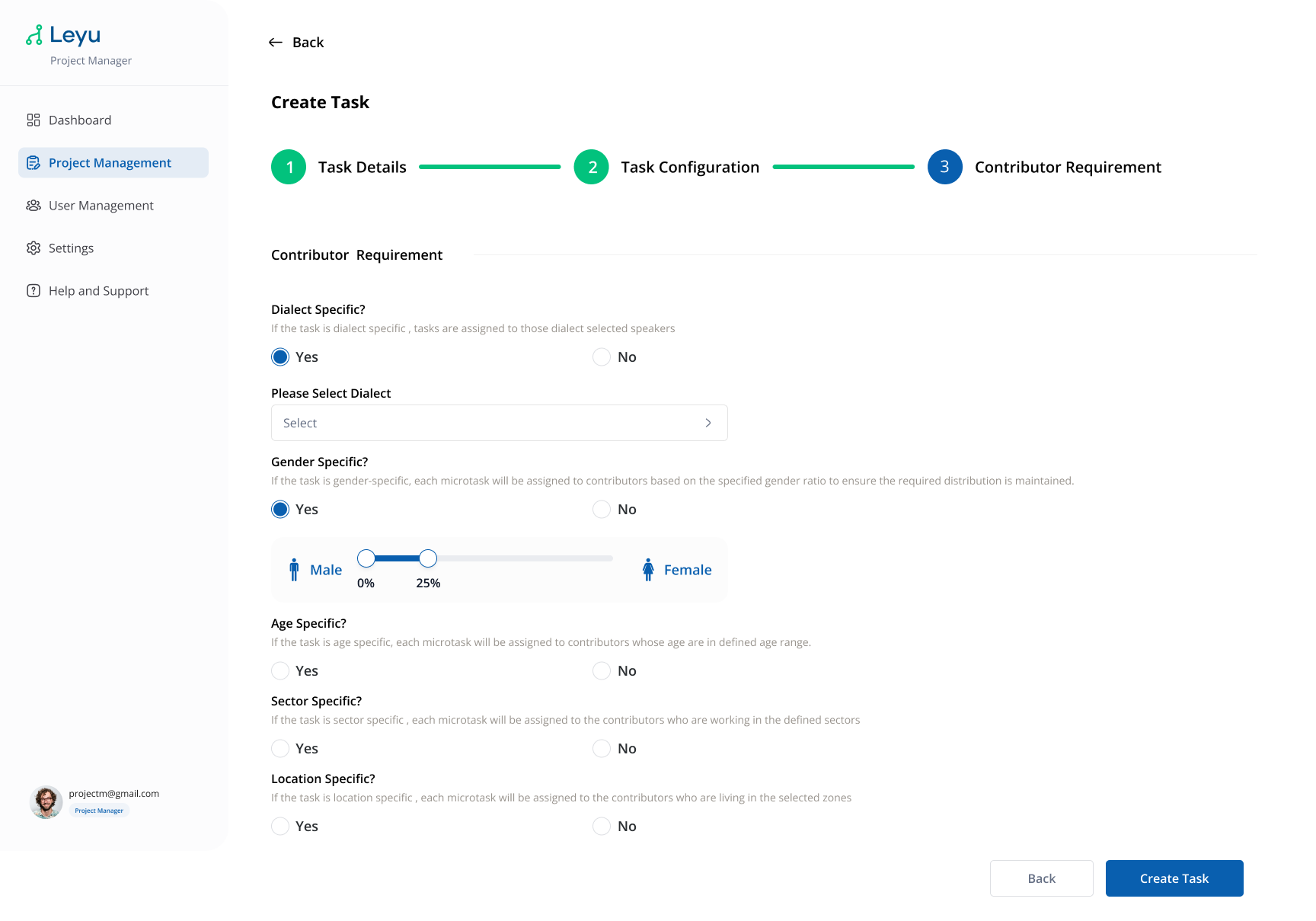
Define how many contributors are needed and any qualification criteria they must meet.
Task Requirements
| Field | Description |
|---|---|
| Dialect Specific | If the task is dialect specific, tasks are assigned to those dialect selected speakers. |
| Gender Specific? | If the task is gender-specific, each microtask will be assigned to contributors based on the specified gender ratio to ensure the required distribution is maintained. |
| Age Specific? | If the task is age specific, each microtask will be assigned to contributors whose age are in the defined age range. |
| Sector Specific? | If the task is sector specific, each microtask will be assigned to the contributors who are working in the defined sectors. |
| Location Specific? | If the task is location specific, each microtask will be assigned to the contributors who are living in the selected zones. |